How to Make Speed Dial Expandable Floating Action Menu in android java
love Pakistan
May 10, 2023
To create an expandable floating action menu in Android Java, you can follow these steps:
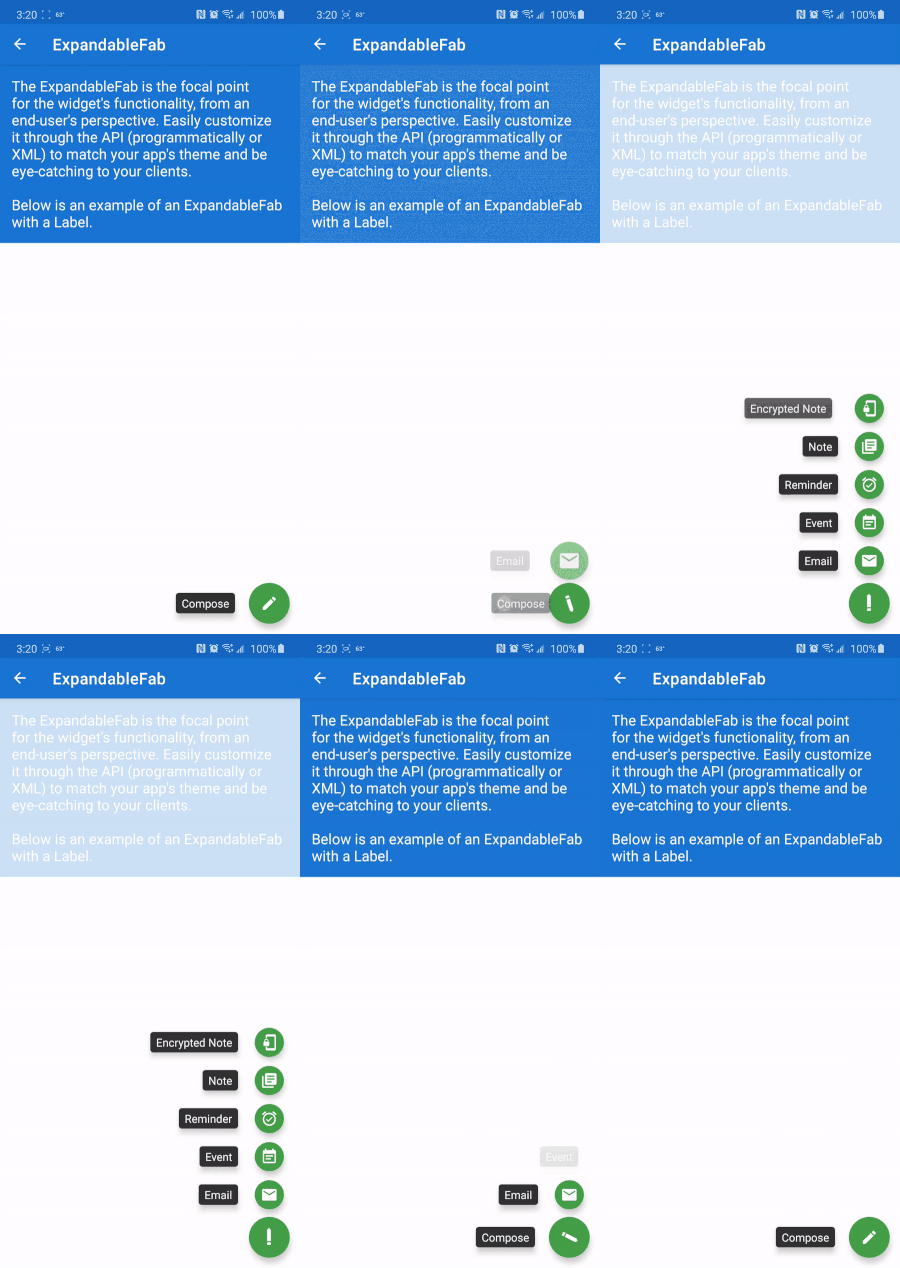
- Create a new Android project in Android Studio.
- Add the necessary dependencies in the app level build.gradle file:
implementation 'com.github.clans:fab:1.6.4'
- In the activity layout file, add the
FloatingActionButton and the FloatingActionMenu widgets from the com.github.clans:fab library:
<com.github.clans.fab.FloatingActionMenu
android:id="@+id/fab_menu"
android:layout_width="wrap_content"
android:layout_height="wrap_content"
android:layout_gravity="bottom|end"
app:menu_icon="@drawable/fab_add"
android:layout_marginBottom="16dp"
android:layout_marginEnd="16dp">
<com.github.clans.fab.FloatingActionButton
android:id="@+id/fab_menu_item1"
android:layout_width="wrap_content"
android:layout_height="wrap_content"
android:src="@drawable/ic_launcher_background"
fab:fab_size="mini" />
<com.github.clans.fab.FloatingActionButton
android:id="@+id/fab_menu_item2"
android:layout_width="wrap_content"
android:layout_height="wrap_content"
android:src="@drawable/fab_add"
fab:fab_size="mini" />
</com.github.clans.fab.FloatingActionMenu>
- In the activity code, you can set the click listeners for the menu items and add the desired
FloatingActionMenu fabMenu = findViewById(R.id.fab_menu);
FloatingActionButton fabMenuItem1 = findViewById(R.id.fab_menu_item1);
FloatingActionButton fabMenuItem2 = findViewById(R.id.fab_menu_item2);
fabMenuItem1.setOnClickListener(new View.OnClickListener() {
@Override
public void onClick(View view) {
// Add functionality for menu item 1
fabMenu.close(true);
}
});
fabMenuItem2.setOnClickListener(new View.OnClickListener() {
@Override
public void onClick(View view) {
// Add functionality for menu item 2
fabMenu.close(true);
}
});
fabMenu.setOnMenuButtonClickListener(new View.OnClickListener() {
@Override
public void onClick(View view) {
if (fabMenu.isOpened()) {
fabMenu.close(true);
} else {
fabMenu.open(true);
}
}
});

