1. Install Sweet Alert Dialog library
Sweer Alert for android is a beautiful and clever alert dialog library, based on the Sweet Alert library made for JavaScript. Pitifully, the official library isn't maintained anymore and the installation of the library in recent Android Studio versions with higher targetSdkVersion it will fail. That's why instead of installing the original package , we will use the maintained fork by F0RIS (This is the most advanced and contemporary fork of the apparently dead project). You can install this plugin through gradle adding the implementation in the build.gradle file:
After adding the dependency, synchronize the project. With this library, you will need to have at least the minSdkVersion set to 13 and targetSdkVersion to 27. For more information about this library, please visit the official repository at Github here.
2. Using the library
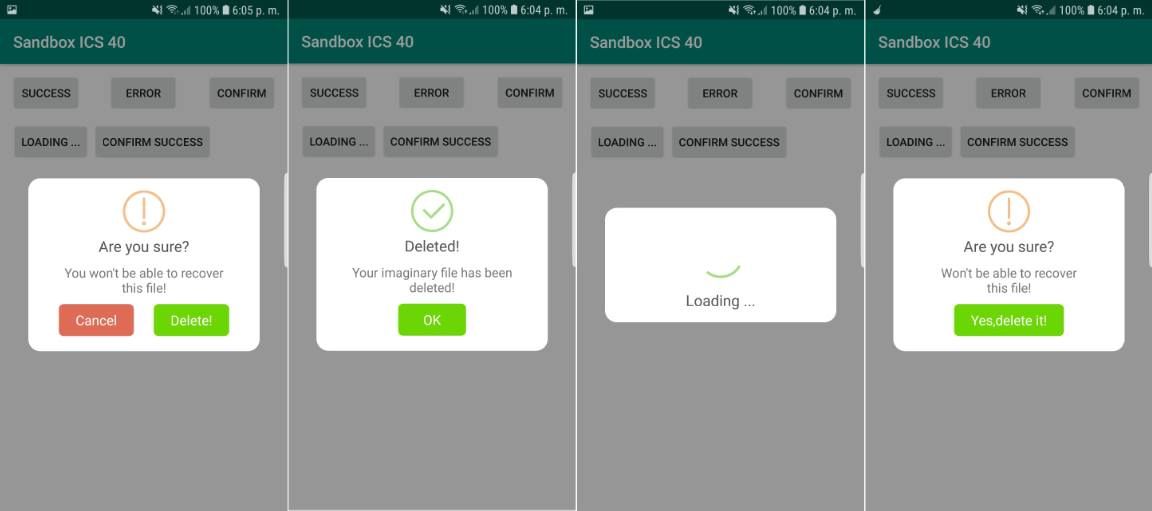
With Sweet Alert, you will be able to display 6 types of dialogs namely for every ocassion:
- Success
- Warning
- Error
- Information
- Loading
- Confirmation
You just need to import the namespace on the class where you need it and create a new instance of SweetAlertDialog, define custom properties and attach some onClick listeners to do something according to the selected option by the user:
Full example
In the activity_main.xml file we will have the following layout that contains basically 5 buttons, every of them with an identifier that will be used later in the code to attach the onClick event:

